For that tactile “hands‐on” feel, MegaSeg works with various MIDI DJ controllers, wireless remotes, and input devices. Besides our built-in controller presets, virtually any controller or MIDI device can be supported via MegaSeg’s “MIDI Learn” feature. If you’ve configured a preset for a controller not listed here, or would like assistance doing so, let us know!
Pioneer’s DJ DDJ-FLX4 is a 2-channel DJ controller designed with a user-friendly interface and professional feel. Experience easy track mixing and professional-quality sound with multi-device USB compatibility and a microphone input. This versatile controller is compact yet packed with features and a sharp design.
Pioneer’s DJ DDJ-FLX10 is a 4-channel DJ controller designed with two large 8" jogwheels. Experience easy track mixing and professional-quality sound with multi-device USB compatibility and a microphone input. (Download our custom preset, and double-click to install.)
Quick Keys from Xencelabs is a very unique mini controller, and certainly not your typical DJ-style controller! In fact, it’s usually used by artists and designers, but the 8 buttons and jog wheel can be configured to do essential deck and playlist functions in MegaSeg, such as Stop, Pause, Play, Break, Scrub, FF/Rew, add tracks, preview, and of course segue! To set it up, download our custom MegaSeg preset and unzip the file, then open their included configuration app and add MegaSeg to the top bar using the + symbol, then click the ⚙️ icon and select ‘Import User Settings’, and choose the “Quick Keys MegaSeg Settings.rmcfg” file (not the zip).
The Denon DJ SC LIVE 4 controller is a controller that while primarily designed for standalone use, can also be connected to your Mac and control MegaSeg like all the other options here. Featuring all the pro audio connections for microphone, XLR, RCA, and 1/4" outputs, as well as built-in speakers. It features a club-style layout and 17 internal FX. Enhance your mix with exciting lighting control for DMX, Philips Hue, and Nanoleaf fixtures.
Hercules DJControl Inpulse 500 is a comprehensive DJ controller made for improving your performance. It has high-definition jog wheels, 16 pads, loop in/loop out buttons, and large jog wheels that make it easy to use. The controller is sturdy with a metal backing plate on the mixer and non-slip retractable feet. It also has a high-quality built-in audio interface featuring Velvet Sound AKM technology, as well as audio inputs for mixing additional sources.
Hercules DJControl Inpulse 200 MK2 is an ideal compact controller for beginners learning to mix with 2 tracks, 8 pads, touch-detection jog wheels, and built-in sound interface.
Numark Mixtrack Pro FX has large 6-inch jog wheels, a 24-bit digital audio interface for pristine sound quality, 6 dedicated software FX buttons for easy transitions, 16 performance pads for hot cues, auto loop, fader cuts and sampling. Centre stage are two all-new premium paddle triggers. A dedicated mixer section outfitted with a full 3-band EQ, filter knobs, channel faders and a cross fader, plus an onboard microphone input and headphone output.
Hercules DJControl Starlight is a compact and easy to carry controller with a built-in sound interface to pre-listen to the headphones and speaker outputs. The RGB strobe backlights on the base are controllable for a light show effect. It includes the essential features like bass filter, hot cue modes, loop, FX, and pressure sensitive jog wheels.
Roland’s DJ-707M is an integrated live sound console, loudspeaker management system, and performance DJ controller equipped to handle the demanding audio needs of working mobile DJs. With its portable design, pro-grade build, and advanced feature set, it’s ideal for mobile applications, club DJing, live performance, and corporate events. The 24-bit/48 kHz audio outputs, EQ, and multiband compressors ensure faithful reproduction of audio sources and clear, powerful sound.
With
Numark’s DJ2GO2 you can throw your entire rig into a backpack and have room to spare. This portable controller weighs less than 12 oz., and provides a familiar layout that includes two platters, a crossfader, pitch and level controls as well as Deck A, Deck B, Master and Headphone gain controls. It includes an on-board 16-bit / 44.1 kHz audio interface, with 1/8-inch headphone output and main outputs.
Denon’s MC4000 has a sleek new design in a robust steel chassis. With standard inputs, outputs, and mixing capability built-in to reduce needs for additional equipment. It features touch-activated Jog Wheels for accurate cueing, long-throw 100 millimeter pitch faders, dedicated EQ controls on each channel, booth outputs for local monitor speakers.
Contour Design’s Shuttle Pro V.2 is another unique controller typically used by video and audio editors, with assignable buttons and a jog and shuttle wheel. It’s able to control MegaSeg’s preview and mixer functionality. Download a preset file here.
The Kensington Wireless Presenter features an intuitive four-button layout that lets you easily control more functions from up to a 65 foot range using a wireless 2.4GHz USB receiver which stores conveniently inside the remote among two 2 AAA batteries. This remote sends standard Keynote & PowerPoint shortcuts which MegaSeg responds to when the “Use Keynote Shortcuts” mode is enabled in the Playback menu.
BYEASY’s Wireless Presenter features volume control buttons on the side and boasts a 100 foot range using a USB receiver. The remote is powered by 2 AAA batteries (included). This remote sends standard Keynote & PowerPoint shortcuts which MegaSeg responds to when the “Use Keynote Shortcuts” mode is enabled in the Playback menu.
DinoFire Presentation Clicker is a rechargeable remote with up to a 50 foot range using its included USB receiver. It includes a handy finger grip for easy control, or wear it like an oversized ring. It uses standard Keynote & PowerPoint shortcuts which trigger an instant MegaSeg response. (Enable the remote by selecting the “Use Keynote Shortcuts” command in MegaSeg’s Playback menu.)
DinoFire Wireless Presenter is a rechargeable remote with a 100 to 165 foot range using its included USB-A/C receiver. (They also offer versions that run on a AAA battery.) It includes volume adjustment buttons, mouse pointer capability, a handy pocket clip, and laser pointer. It uses standard Keynote & PowerPoint shortcuts which trigger an instant MegaSeg response. (Enable the remote by selecting the “Use Keynote Shortcuts” command in MegaSeg’s Playback menu.)
Satechi R2 Bluetooth Presentation Remote uses Bluetooth 5.0 and sends standard presentation commands to your Mac (i.e. back/forward slide buttons), which are compatible with MegaSeg. (Enable the remote by selecting the “Use Keynote Shortcuts” command in MegaSeg’s Playback menu.) It has a range of about 30 feet, and rechargeable via USB-C with a battery life of up to six months.
Satechi R2 Bluetooth Multimedia Remote is RF-based and uses the Bluetooth 5.0 standard and works by sending Mac multimedia keys which are compatible with MegaSeg. It has a range of about 30 feet, and rechargeable via USB-C with a battery life of up to six months.
Finally, there are apps and adapters that will turn your iPad or iPhone into a remote for MegaSeg. For example, Luna Display can make your iPad a wireless touch-screen monitor for any Mac running MegaSeg, including “headless” Macs such as the Mac Mini.
Next, the Remote Control for Mac turns your iPhone or iPad into the ultimate remote control for your Mac and MegaSeg, similar to other physical wireless presenters above.
The SRC-4 from Broadcast Tools interfaces four optically isolated inputs and four SPST relays to a RS-232 port (connected to the Mac via a USB-to-RS232 cable). MegaSeg’s Events feature includes a special “Insert Break (Serial Trigger)” function that is pre-configured to communicate with the SRC-4, trigger a relay, and wait until it receives a contact closure to continue. You can adjust the Event settings in various ways to interface with a satellite receiver, or use it to trigger any 3rd party device. See our FAQ article for more details.
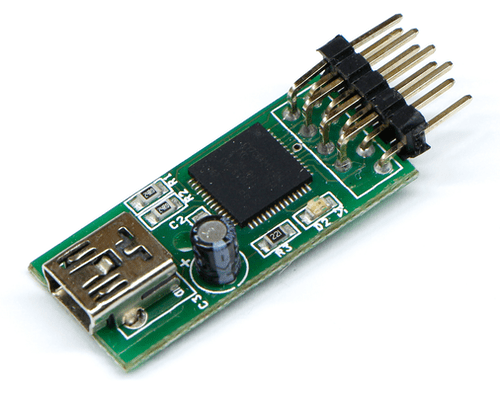
The Ultimarc U-HID Nano is an example of a HID compliant input device that can trigger MegaSeg functions from external relays or buttons in combination with
USB Overdrive to map the inputs to MegaSeg’s keyboard shortcuts. These can also be used with MegaSeg’s Insert Break events for triggering segues without USB Overdrive. (Read the related FAQ article.)
Apple’s Magic Trackpad supports multi-touch visual beat mixing via MegaSeg’s Wave Viewer. It also features scrolling inertia for realistic momentum. If your current trackpad feels a bit cramped, or you’re ready to move up from a typical desktop mouse, this is a must have.
Kensington’s SlimBlade is a nicely weighted pool‐sized trackball that makes it much easier to access all of MegaSeg’s abilities without scooting around a typical mouse. The four buttons can be assigned as shortcuts to any keystroke or function.
Pioneer’s DJ DDJ-FLX4 is a 2-channel DJ controller designed with a user-friendly interface and professional feel. Experience easy track mixing and professional-quality sound with multi-device USB compatibility and a microphone input. This versatile controller is compact yet packed with features and a sharp design.
Pioneer’s DJ DDJ-FLX10 is a 4-channel DJ controller designed with two large 8" jogwheels. Experience easy track mixing and professional-quality sound with multi-device USB compatibility and a microphone input. (Download our custom preset, and double-click to install.)
Quick Keys from Xencelabs is a very unique mini controller, and certainly not your typical DJ-style controller! In fact, it’s usually used by artists and designers, but the 8 buttons and jog wheel can be configured to do essential deck and playlist functions in MegaSeg, such as Stop, Pause, Play, Break, Scrub, FF/Rew, add tracks, preview, and of course segue! To set it up, download our custom MegaSeg preset and unzip the file, then open their included configuration app and add MegaSeg to the top bar using the + symbol, then click the ⚙️ icon and select ‘Import User Settings’, and choose the “Quick Keys MegaSeg Settings.rmcfg” file (not the zip).
The Denon DJ SC LIVE 4 controller is a controller that while primarily designed for standalone use, can also be connected to your Mac and control MegaSeg like all the other options here. Featuring all the pro audio connections for microphone, XLR, RCA, and 1/4" outputs, as well as built-in speakers. It features a club-style layout and 17 internal FX. Enhance your mix with exciting lighting control for DMX, Philips Hue, and Nanoleaf fixtures.
Hercules DJControl Inpulse 500 is a comprehensive DJ controller made for improving your performance. It has high-definition jog wheels, 16 pads, loop in/loop out buttons, and large jog wheels that make it easy to use. The controller is sturdy with a metal backing plate on the mixer and non-slip retractable feet. It also has a high-quality built-in audio interface featuring Velvet Sound AKM technology, as well as audio inputs for mixing additional sources.
Hercules DJControl Inpulse 200 MK2 is an ideal compact controller for beginners learning to mix with 2 tracks, 8 pads, touch-detection jog wheels, and built-in sound interface.
Numark Mixtrack Pro FX has large 6-inch jog wheels, a 24-bit digital audio interface for pristine sound quality, 6 dedicated software FX buttons for easy transitions, 16 performance pads for hot cues, auto loop, fader cuts and sampling. Centre stage are two all-new premium paddle triggers. A dedicated mixer section outfitted with a full 3-band EQ, filter knobs, channel faders and a cross fader, plus an onboard microphone input and headphone output.
Hercules DJControl Starlight is a compact and easy to carry controller with a built-in sound interface to pre-listen to the headphones and speaker outputs. The RGB strobe backlights on the base are controllable for a light show effect. It includes the essential features like bass filter, hot cue modes, loop, FX, and pressure sensitive jog wheels.
Roland’s DJ-707M is an integrated live sound console, loudspeaker management system, and performance DJ controller equipped to handle the demanding audio needs of working mobile DJs. With its portable design, pro-grade build, and advanced feature set, it’s ideal for mobile applications, club DJing, live performance, and corporate events. The 24-bit/48 kHz audio outputs, EQ, and multiband compressors ensure faithful reproduction of audio sources and clear, powerful sound.
Numark’s DJ2GO2 you can throw your entire rig into a backpack and have room to spare. This portable controller weighs less than 12 oz., and provides a familiar layout that includes two platters, a crossfader, pitch and level controls as well as Deck A, Deck B, Master and Headphone gain controls. It includes an on-board 16-bit / 44.1 kHz audio interface, with 1/8-inch headphone output and main outputs.
Denon’s MC4000 has a sleek new design in a robust steel chassis. With standard inputs, outputs, and mixing capability built-in to reduce needs for additional equipment. It features touch-activated Jog Wheels for accurate cueing, long-throw 100 millimeter pitch faders, dedicated EQ controls on each channel, booth outputs for local monitor speakers.
Contour Design’s Shuttle Pro V.2 is another unique controller typically used by video and audio editors, with assignable buttons and a jog and shuttle wheel. It’s able to control MegaSeg’s preview and mixer functionality. Download a preset file here.
The Kensington Wireless Presenter features an intuitive four-button layout that lets you easily control more functions from up to a 65 foot range using a wireless 2.4GHz USB receiver which stores conveniently inside the remote among two 2 AAA batteries. This remote sends standard Keynote & PowerPoint shortcuts which MegaSeg responds to when the “Use Keynote Shortcuts” mode is enabled in the Playback menu.
BYEASY’s Wireless Presenter features volume control buttons on the side and boasts a 100 foot range using a USB receiver. The remote is powered by 2 AAA batteries (included). This remote sends standard Keynote & PowerPoint shortcuts which MegaSeg responds to when the “Use Keynote Shortcuts” mode is enabled in the Playback menu.
DinoFire Presentation Clicker is a rechargeable remote with up to a 50 foot range using its included USB receiver. It includes a handy finger grip for easy control, or wear it like an oversized ring. It uses standard Keynote & PowerPoint shortcuts which trigger an instant MegaSeg response. (Enable the remote by selecting the “Use Keynote Shortcuts” command in MegaSeg’s Playback menu.)
DinoFire Wireless Presenter is a rechargeable remote with a 100 to 165 foot range using its included USB-A/C receiver. (They also offer versions that run on a AAA battery.) It includes volume adjustment buttons, mouse pointer capability, a handy pocket clip, and laser pointer. It uses standard Keynote & PowerPoint shortcuts which trigger an instant MegaSeg response. (Enable the remote by selecting the “Use Keynote Shortcuts” command in MegaSeg’s Playback menu.)
Satechi R2 Bluetooth Presentation Remote uses Bluetooth 5.0 and sends standard presentation commands to your Mac (i.e. back/forward slide buttons), which are compatible with MegaSeg. (Enable the remote by selecting the “Use Keynote Shortcuts” command in MegaSeg’s Playback menu.) It has a range of about 30 feet, and rechargeable via USB-C with a battery life of up to six months.
Satechi R2 Bluetooth Multimedia Remote is RF-based and uses the Bluetooth 5.0 standard and works by sending Mac multimedia keys which are compatible with MegaSeg. It has a range of about 30 feet, and rechargeable via USB-C with a battery life of up to six months.
Finally, there are apps and adapters that will turn your iPad or iPhone into a remote for MegaSeg. For example, Luna Display can make your iPad a wireless touch-screen monitor for any Mac running MegaSeg, including “headless” Macs such as the Mac Mini.
The SRC-4 from Broadcast Tools interfaces four optically isolated inputs and four SPST relays to a RS-232 port (connected to the Mac via a USB-to-RS232 cable). MegaSeg’s Events feature includes a special “Insert Break (Serial Trigger)” function that is pre-configured to communicate with the SRC-4, trigger a relay, and wait until it receives a contact closure to continue. You can adjust the Event settings in various ways to interface with a satellite receiver, or use it to trigger any 3rd party device. See our FAQ article for more details.
Apple’s Magic Trackpad supports multi-touch visual beat mixing via MegaSeg’s Wave Viewer. It also features scrolling inertia for realistic momentum. If your current trackpad feels a bit cramped, or you’re ready to move up from a typical desktop mouse, this is a must have.
Kensington’s SlimBlade is a nicely weighted pool‐sized trackball that makes it much easier to access all of MegaSeg’s abilities without scooting around a typical mouse. The four buttons can be assigned as shortcuts to any keystroke or function.
